
Best car usb fan for backseat shopping is usually less about “strongest fan” and more about solving a specific problem: back rows that feel stuffy, kids who run hot, or rear vents that barely reach the third row.
If you’ve tried cranking the A/C and still get complaints from the back, a small USB fan can be a surprisingly practical fix, as long as you choose the right mounting style and power setup. Buy the wrong one and it rattles, blocks a cupholder, or dies the moment you hit a bump.
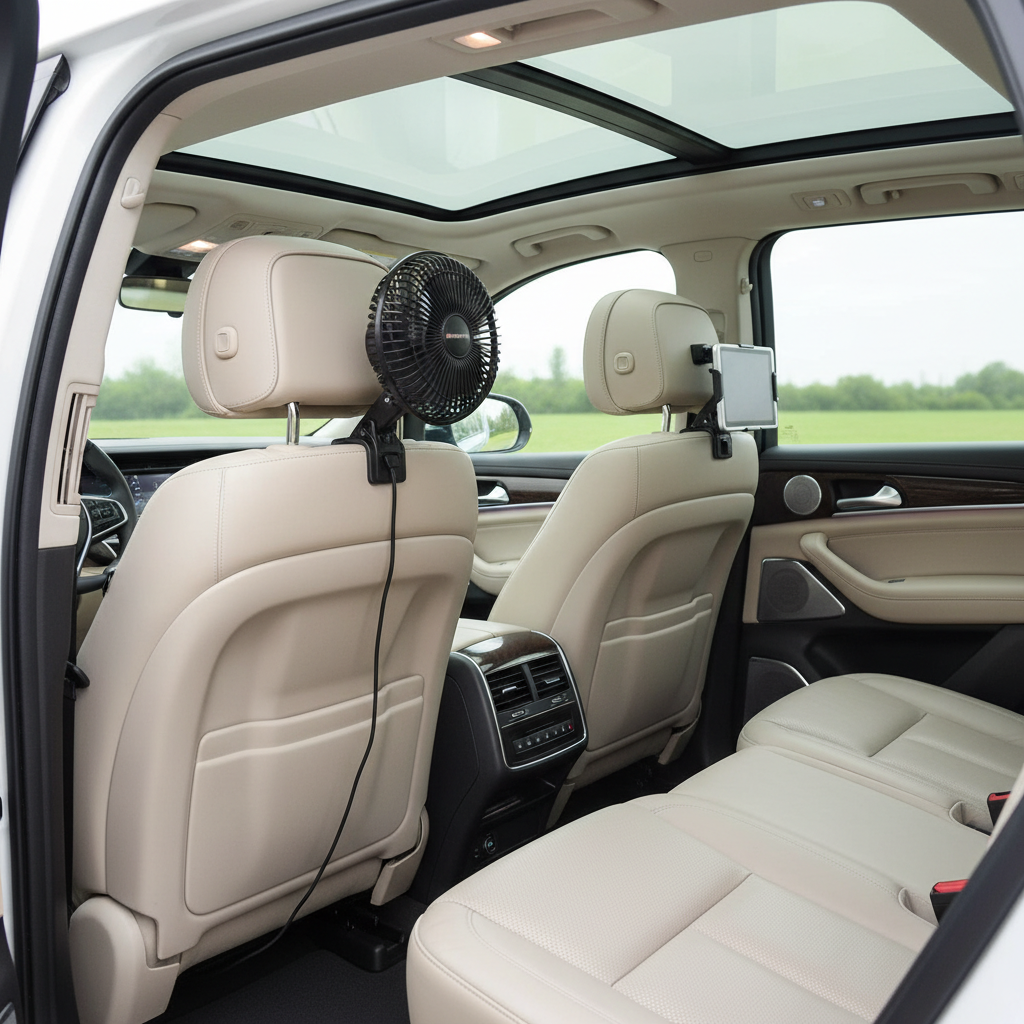
This guide focuses on what tends to matter in real cars: stable mounts, usable airflow at 2–3 feet, cable management, and noise that won’t drive everyone crazy. I’ll also share quick checks and a simple setup plan you can do in ten minutes.
What usually makes the backseat feel hot (even with A/C on)
Before buying anything, it helps to name the problem. A USB fan won’t replace A/C, but it can fix airflow distribution, which is what many cars struggle with.
- Weak rear vent airflow: common in compact sedans and some crossovers, where the ducting favors the front seats.
- Third-row “dead zone”: even with rear vents, air may not reach the last row with enough velocity.
- Sun load: large side windows and skylights can heat up the back fast; airflow helps you feel cooler even if cabin temp drops slowly.
- Car seats and boosters: they can trap heat around kids’ backs, so gentle circulation matters more than raw CFM.
According to the U.S. Department of Transportation (NHTSA), heat can become dangerous in vehicles quickly, especially for children. A fan can improve comfort, but it should never be treated as a safety substitute for proper cooling, supervision, and ventilation.
Key buying factors for a backseat USB fan (what to prioritize)
Most listings look similar, so it helps to filter by “will this work in my car” rather than marketing claims.
Mount type: headrest, clip, or console
- Headrest mount: often the most stable for rear passengers, and easiest to aim at face/torso level.
- Clip-on: flexible, but some clips slip on leather or thick seat-back pockets, and may vibrate on rough roads.
- Console/cupholder base: can work in minivans and SUVs, but it may steal storage space and get kicked.
Airflow at distance (not just “strong wind” up close)
Backseat use typically means the fan sits 18–36 inches away. Look for designs with a focused grille and adjustable tilt, because broad “soft” airflow can disappear before it reaches passengers.
Noise profile
Many small fans sound fine at speed 1 and become whiny at speed 3. If your use case includes naps or long drives, prioritize a fan known for a smoother sound, even if peak airflow is slightly lower.
Power and charging reality
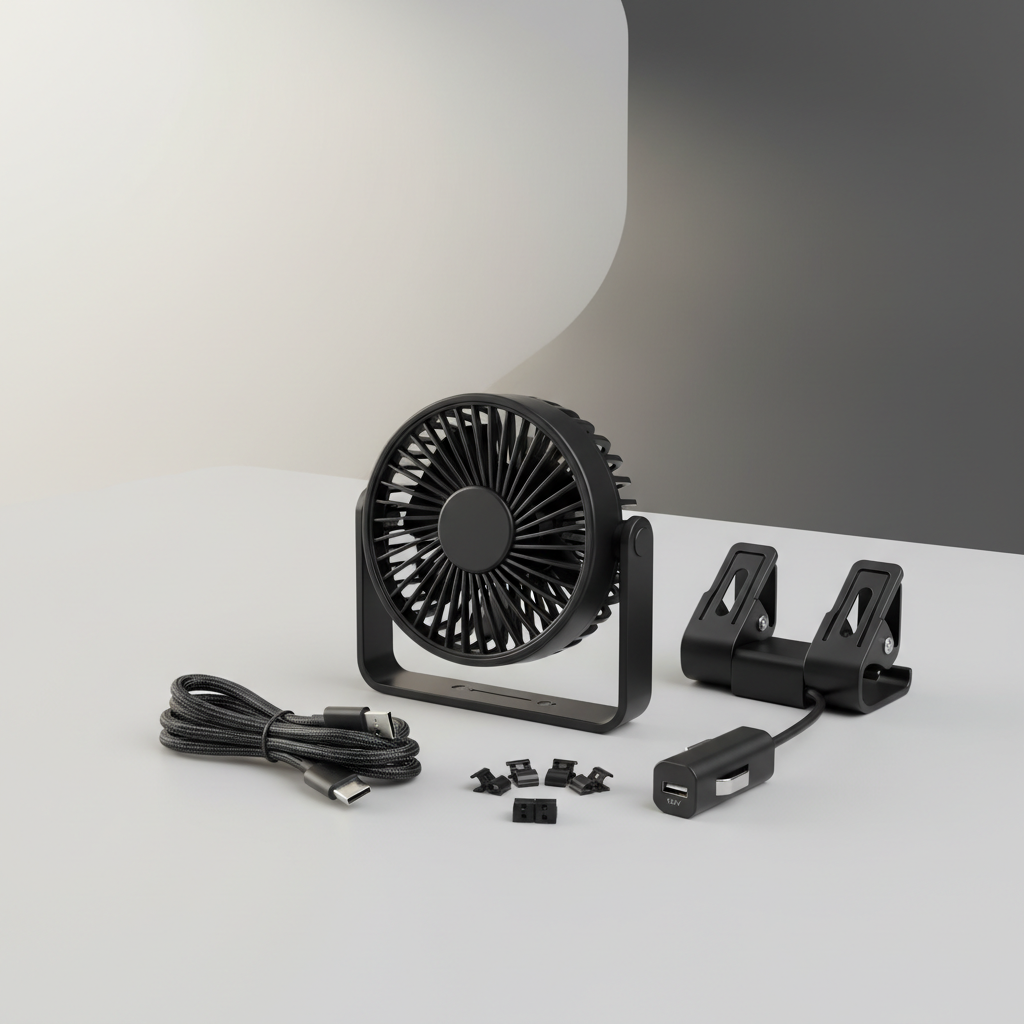
- USB-A vs USB-C: match your car ports or plan a quality adapter.
- Draw limits: some rear USB ports are low-power, and fans may underperform or pulse if power is unstable.
- 12V adapter option: often more reliable than relying on an overloaded infotainment USB port.
Safety and fit details people forget
- Finger-safe grille if kids will reach it.
- Clearance so it won’t interfere with airbag zones, head restraints, or seat movement.
- Cable routing that won’t snag feet, car seats, or seat rails.
Quick self-check: which backseat setup do you actually need?
If you answer these in 30 seconds, you’ll narrow to the right category fast.
- Do you need to cool two rear passengers? If yes, consider dual-head fans or a wide oscillation option.
- Is your car’s rear USB port weak? If the port charges slowly, plan for a 12V adapter or powered hub.
- Are kids in car seats involved? Prioritize low-noise on medium speed, tight grille spacing, and stable mounting.
- Do you drive on rough roads? Choose headrest straps or a mount with anti-slip pads; flimsy clips tend to drift.
- Do you hate visible wires? Pick a fan with a shorter cable and use adhesive cable clips for a clean run.
If you’re still unsure, pick “headrest mount + 12V adapter support” as your default. It’s the most forgiving combo across sedans, SUVs, and minivans.
Best Backseat USB Car Fans 2026: comparison table (what to look for)
I can’t verify every 2026 model claim from listings in real time, so instead of naming specific products, this table shows the profiles that typically win for backseat comfort, and the tradeoffs you should expect.
| Type | Best for | What usually works well | Common downside |
|---|---|---|---|
| Headrest strap fan (single head) | One passenger, targeted airflow | Stable aim, minimal vibration | Narrow coverage for two passengers |
| Dual-head headrest fan | Two passengers or 2nd row bench | Split airflow, adjustable angles | Can be noisier at higher settings |
| Clip-on fan | Flexible placement, rentals | Fast install, easy to move | Clip slip, rattles on bumps |
| Console/cupholder base fan | Minivans/SUVs with open center area | No seat mounting needed | Kick risk, takes space |
| USB rechargeable fan (battery) | Cars with weak ports, short trips | Doesn’t rely on car power stability | Battery aging, needs charging routine |
Practical setup steps (stable mount, better airflow, fewer complaints)
Even the best car usb fan for backseat can feel disappointing if it’s aimed wrong or starved for power. This is the setup flow that tends to work.
1) Place it where the airflow can travel
- Mount high (headrest level) and aim slightly downward toward chest level.
- Avoid aiming straight at eyes; it dries contact lenses and annoys passengers.
- If you have rear vents, aim the fan to pull cooled air across the back row, not fight against the vent stream.
2) Give it reliable power
- If your rear USB port seems weak, use a quality 12V USB adapter up front and route the cable safely.
- Avoid daisy-chaining cheap hubs; voltage drops can make speed controls glitchy.
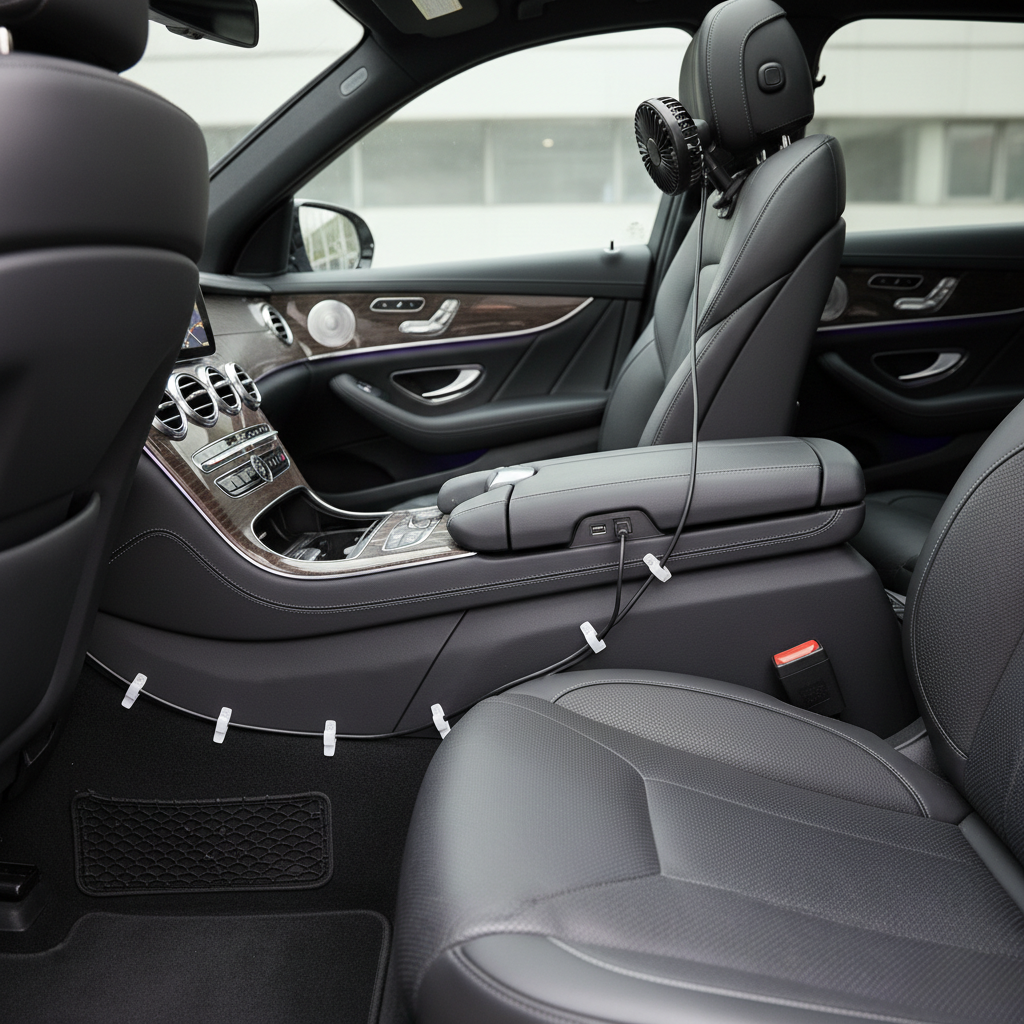
3) Route the cable like you expect kids to test it
- Run cable along seat seams and trim lines, then secure with small cable clips.
- Keep slack away from feet and seat rails, since rails can pinch and cut insulation.
- Leave enough slack for seat movement, but not enough to form loops.
4) Choose a “daily” speed and stick with it
Many families end up using medium speed most of the time. High speed becomes a “cool down now” mode, then you back off to keep the cabin quieter.
Common mistakes (and how to avoid wasting money)
- Buying for features, not fit: LEDs and “turbo” modes don’t help if the mount blocks the seat pocket or wobbles.
- Assuming any USB port will drive any fan: some ports throttle; if the fan surges or stalls, treat it as a power issue first.
- Pointing the fan at the ceiling: it feels like “circulation,” but passengers still sweat because airflow never reaches skin.
- Ignoring cleanability: lint and pet hair reduce airflow; a fan with an easy-to-clean grille saves frustration.
- Using a fan to compensate for a broken A/C: it can make you feel slightly better, but it won’t fix high cabin temps in extreme heat.
According to CDC, preventing heat-related illness involves reducing heat exposure and staying cool; if the cabin can’t cool down, it’s smarter to address the A/C issue or change travel timing rather than relying on airflow alone.
When to consider professional help (or a different solution)
If the backseat stays uncomfortable even after adding a fan, you may be dealing with something a USB accessory can’t solve.
- A/C performance problems: weak cooling, odd smells, or inconsistent temps can indicate maintenance needs; a qualified mechanic can diagnose safely.
- Electrical quirks: if USB ports cut out, fuses blow, or adapters get unusually hot, stop using the setup and ask a professional.
- Health concerns: for infants, older adults, or anyone sensitive to heat, it’s worth taking a conservative approach and checking with a medical professional if you’re unsure about safe travel conditions.
Conclusion: how to pick the right backseat USB fan in 2026
The best results usually come from matching the fan to the cabin layout, then installing it like a permanent accessory instead of a temporary gadget. A stable headrest mount, reliable power, and tidy cable routing solve most complaints.
If you want a simple next step, choose a backseat-focused design (headrest or dual-head), test it at medium speed on a 15-minute drive, then adjust angle and power source before you decide it “doesn’t work.”
Key takeaways
- Fit and mounting matter as much as airflow claims.
- Power stability often decides whether a fan feels strong or disappointing.
- Safety details like grille spacing and cable routing are non-negotiable when kids ride in back.
FAQ
What is the best car usb fan for backseat use if my car has weak rear USB ports?
Look for a fan that runs well on standard 5V power and plan to use a quality 12V USB adapter if the rear port can’t supply steady current. The goal is consistent speed without pulsing.
Is a dual-head fan better than a single fan for the back seat?
Often yes when two people share the row, because each head can aim separately. The tradeoff is more noise and a bulkier mount, so check headrest spacing and seat shape.
Can a USB fan cool a car like an air conditioner?
No, it mainly improves perceived comfort by moving air across skin and helping cooled air reach the back. If your A/C can’t lower cabin temperature, a fan won’t fix that root problem.
Where should I mount a backseat USB fan for the best airflow?
Headrest height aimed slightly downward usually works best, since it pushes air toward faces and torsos instead of the roof. Avoid blocking side curtain airbag areas and keep it clear of head movement.
How do I reduce noise while keeping the back seat comfortable?
Use medium speed, aim airflow more precisely, and pair it with better A/C direction from front vents. Many setups feel cooler when airflow is targeted, so you don’t need top speed.
Are USB fans safe around kids in car seats?
They can be, but choose a tight grille, mount it securely, and route cables so little hands and feet can’t pull or tangle them. If you have concerns about heat exposure, consider more conservative travel planning and ask a professional if needed.
How much power does a typical backseat USB fan use?
It varies by motor and speed setting, but many draw within the range of common USB outputs. If the fan behaves inconsistently, treat it as a sign your port/adapter may not be supplying steady power.
Should I buy a battery-powered USB rechargeable fan instead?
It can be convenient for short trips or cars with unreliable ports, but it adds a charging routine and battery wear over time. For daily driving, many people prefer continuous car power with cleaner cable management.
If you’re trying to keep rear passengers comfortable without turning your cabin into a DIY project, make a short list of your must-haves, then pick a backseat-friendly mount and a power plan that won’t cut out mid-drive, it’s usually the difference between “nice idea” and something you actually keep installed.